Sanchay

Your private AI money manager,
free and open source

Sanchay is a personal finance manager and expense tracker for your Mac. Import your bank and credit card statements, see where your money goes, and get a plan built from your own numbers. Nothing is uploaded unless you turn it on.

Free · macOS on Apple silicon · Signed and notarized by Apple

What it does

An expense tracker, a budget and a financial planner in one app. It reads the statements you already get, so there is no bank login to hand over.

Reads your statements

PDF or CSV from banks and credit cards, including password-protected PDFs, payslips and CAS statements. It works out the columns and dates on its own and merges overlapping statements.

Closes your month

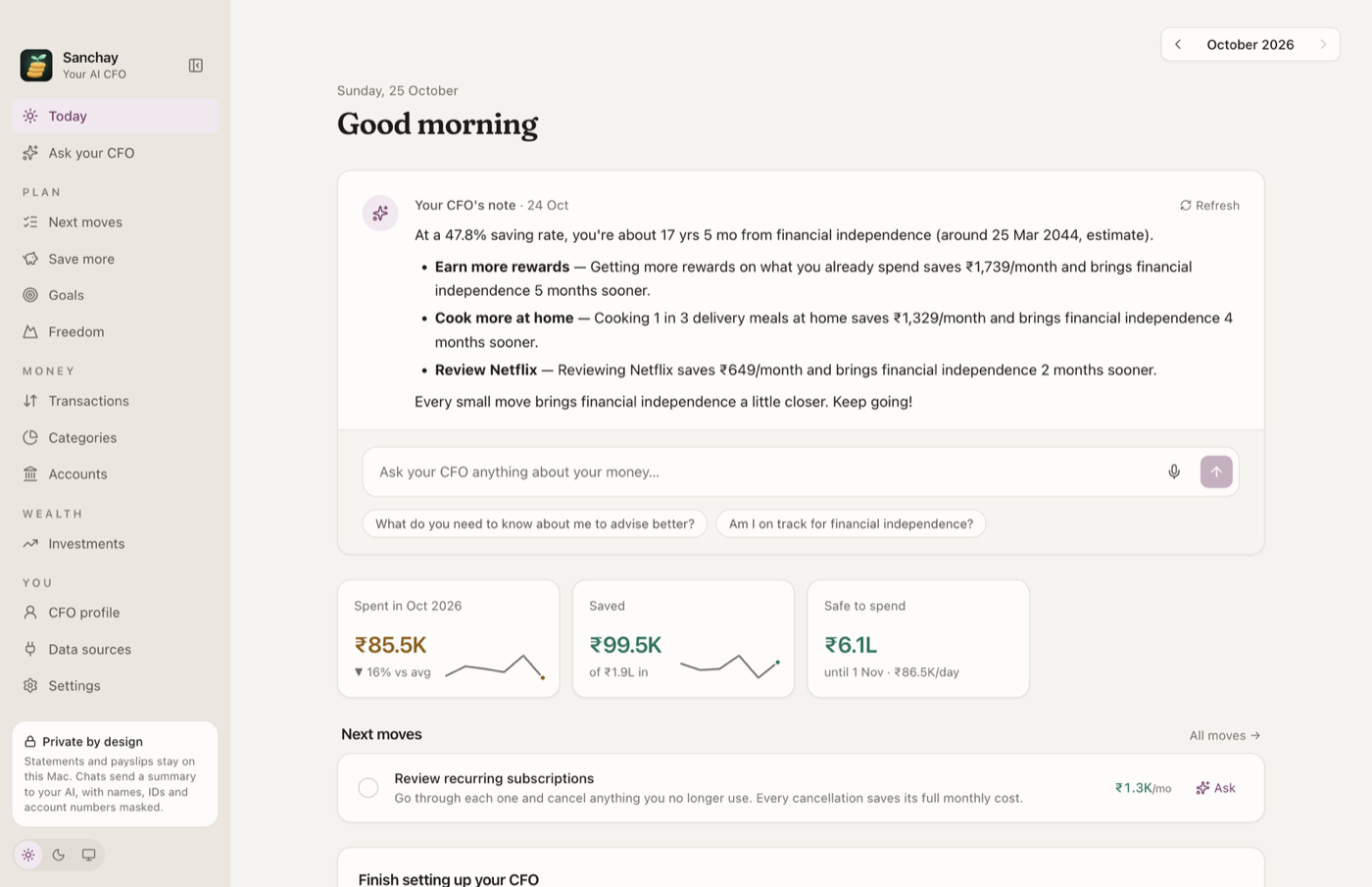
Income, spending, saving rate, what changed and why, recurring bills, and what you can safely spend before payday. One-off payments are kept apart from real trends.

Ask about your money

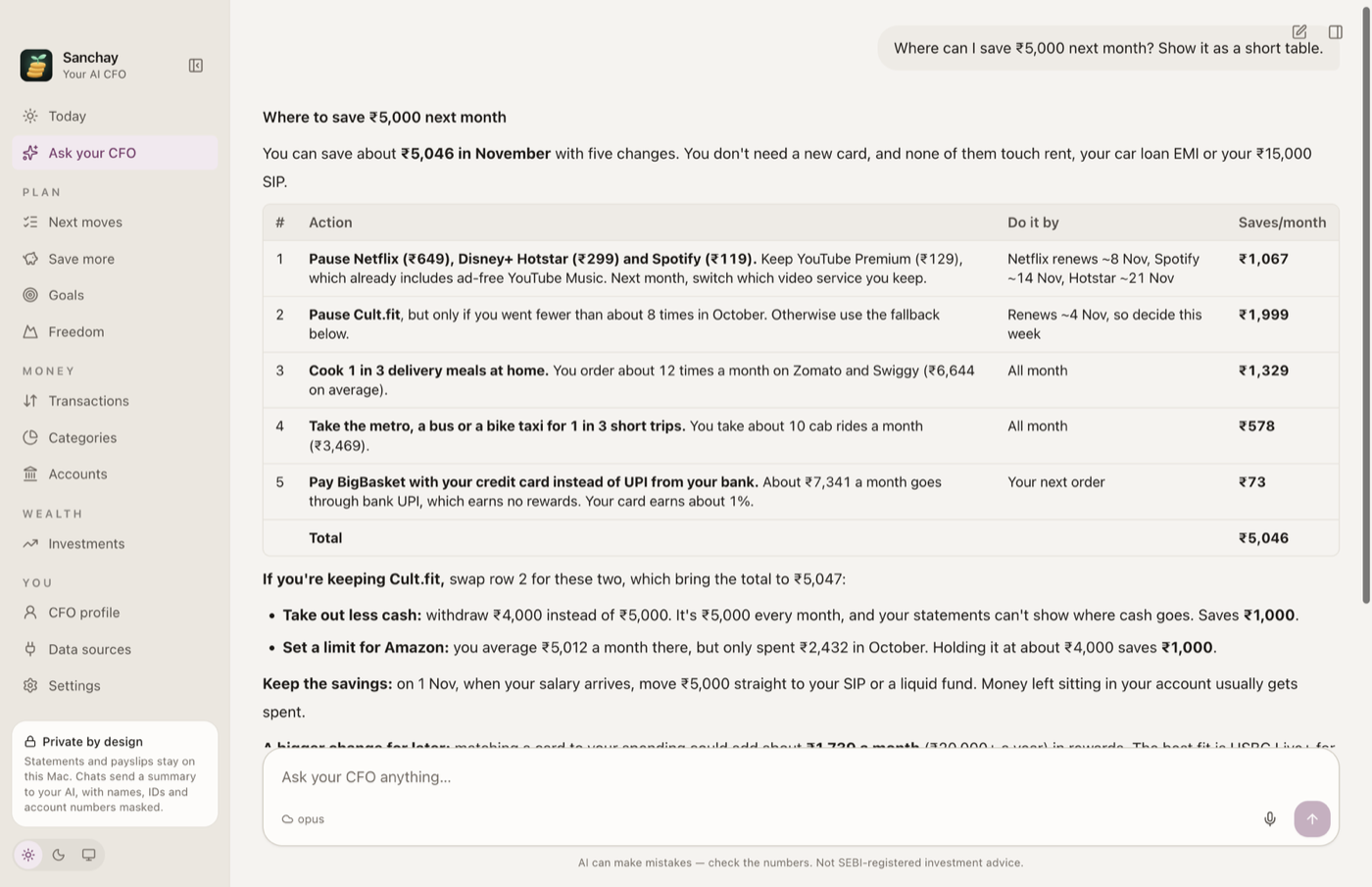
Ask about your money in plain English. Answers come from your own numbers, with tables and the maths behind them.

Finds savings

Money leaks, subscriptions you may not need, and cheaper ways to live the same life, each sized from your real spending.

Plans financial independence

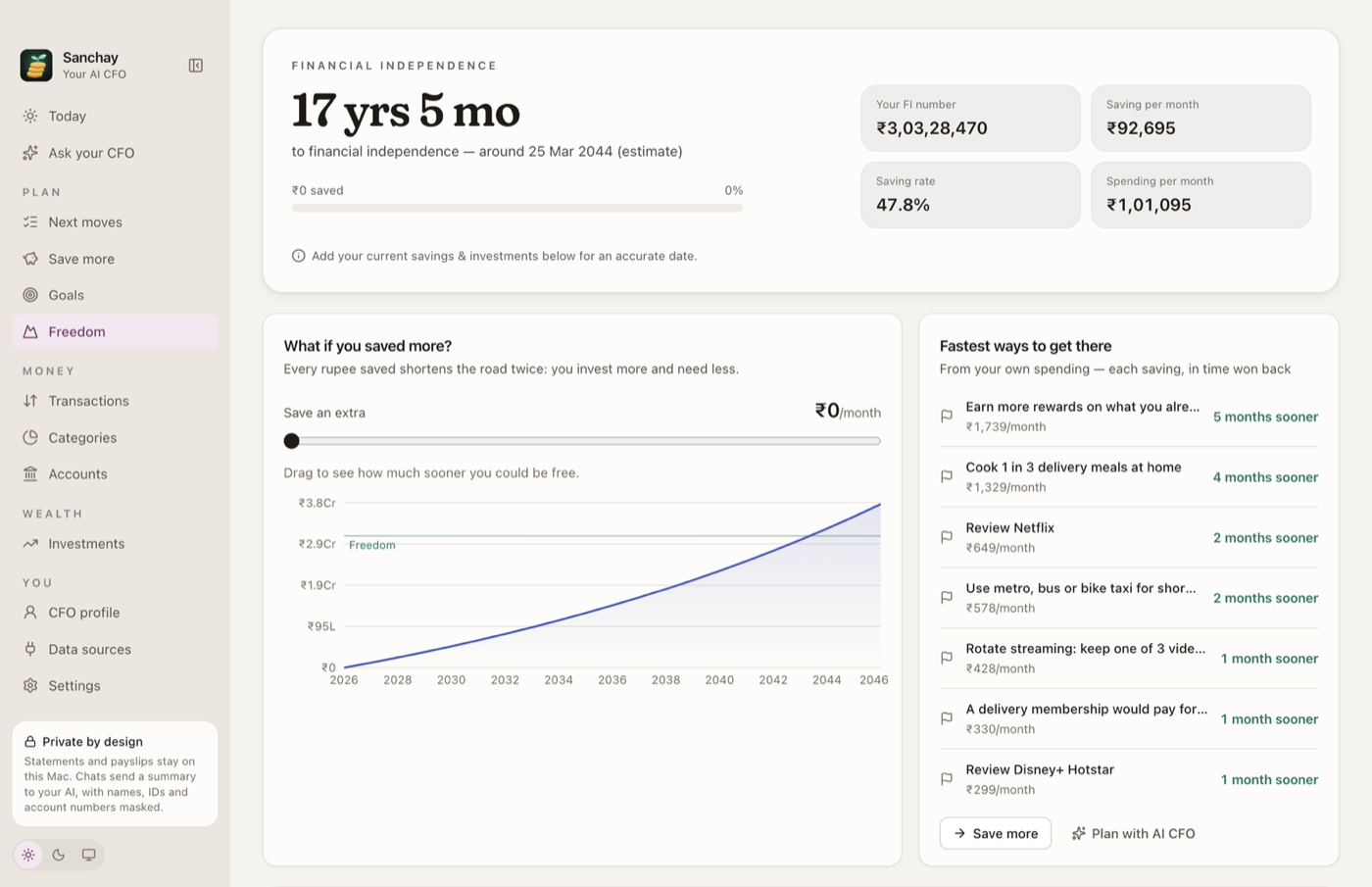
An estimated date when work becomes optional, and how much sooner each change gets you there.

Connects read-only

In India: INDmoney, Zerodha, Groww, Dhan, Upstox, FYERS and Kotak Neo through their official MCP servers. Anything that could trade or change your accounts is blocked.

A look inside

All screenshots use the built-in sample data.

The Today page with a note from your CFO, spending, savings and safe-to-spend
Today
Ask your CFO answering a question about saving with a table
Ask your CFO
The Freedom page with an estimated financial-independence date
Freedom
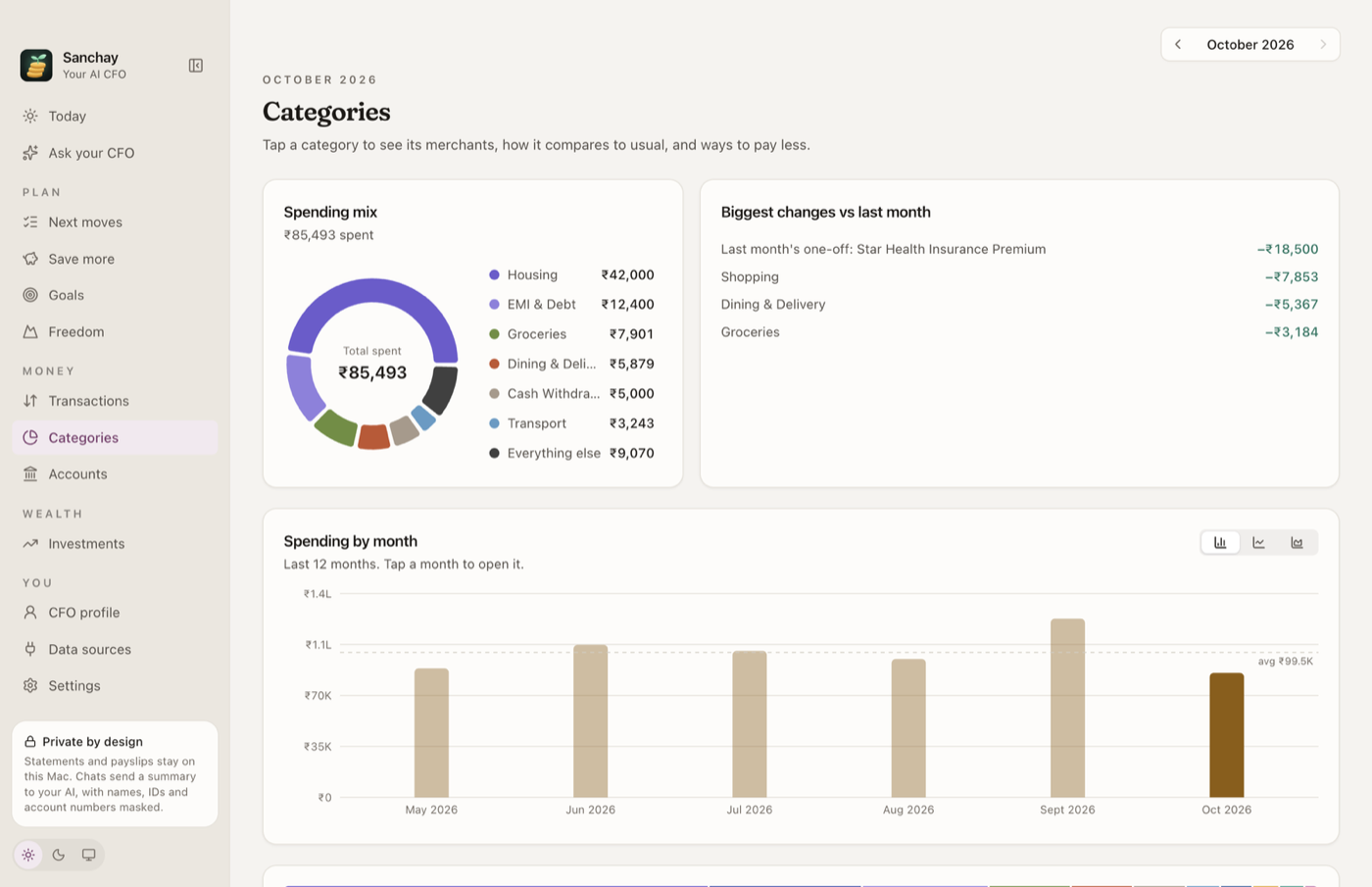
Spending by category and by month
Categories

Private by design

Your data lives in a database file on your Mac. Sanchay has no server, no accounts, no telemetry and no analytics. Data leaves your Mac only through features you turn on.

You turn onWhat is sentSent to
A local AI (Ollama)Nothing. The model runs on your Mac.Nobody
A cloud AIA summary of your finances and your messages. Account and card numbers, PAN, Aadhaar, UPI IDs, emails and phone numbers are masked first.Claude, Gemini or OpenAI, whichever you pick
A data sourceRead-only requests with your sign-inThat service

Questions

Is Sanchay free?

Yes. It is free and open source under the MIT licence. There is no subscription and no account.

Does it need my bank login?

No. You import the statements your bank already gives you, as PDF or CSV. Sanchay never asks for bank passwords.

Where is my data stored?

In a SQLite database in your Mac's Application Support folder. API keys and sign-in tokens are encrypted with the macOS Keychain. Turn on FileVault to encrypt the rest of the disk.

Which AI does it use?

You choose. A local model through Ollama keeps everything on your Mac. You can also use Claude, Gemini or OpenAI, with personal identifiers masked before anything is sent.

Does it work outside India?

Sanchay is built for India first. Pick another country during setup and it switches the currency, the sample data and the advice. The US is the first country supported this way.

Windows or Intel Macs?

Not yet. Builds for Intel Macs and Windows are open issues on GitHub, and help is welcome.

Is this financial advice?

No. Sanchay gives budgeting and informational insights based on your data. It is not a SEBI-registered investment adviser.